Hello lunapark Team!
Your project is very similar to the Noodl project.
What are the fundamental differences between these projects?
Hey there!
Luna Park is a bit more low level than Noodl, meaning you can do more while being a bit less straight-forward. It’s also closer to code, so it ships more performant apps with less boilerplate and has a lot of features from web development (like component slots, custom event, computed values, props, etc…). To sum up, Luna Park is a bit more complex but has more freedom.
(Also Luna Park can generate node backend, which I’m not sure Noodl does)
I used Noodle to teach programming, and it really bothered me that I couldn’t see the code and the learning was one-sided.
I want to see the final code so that I have an understanding of how it all works.
I would like to note that Noodle (open forks) for windows has an AI engine with a custom endpoint and my API key, and it knows about all the components in Noodle and helps write functions well.
You have indicated that the Desktop version will not support AI, which is scary.
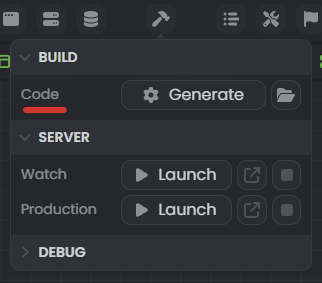
Well, you can see the code generated by Luna Park (and it’s even linted with readable variable names)
On the web version, you can export the “source” which is the node project, while the “export” gives you the compiles frontend.
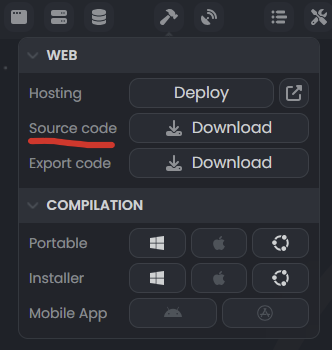
On the desktop version, it’s even easier since the code is generated as a node project.
You have indicated that the Desktop version will not support AI, which is scary.
Two things:
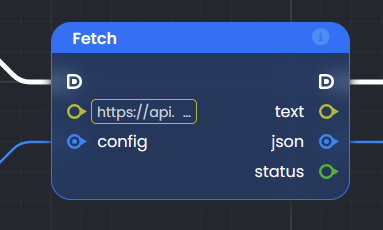
1 - If you want to integrate some LLM API, like use ChatGPT, Mistral, Claude, etc… in your logic, you can do it with the fetch node, be it in the web or desktop version.
2 - The pricing page talk about AI assist, for example you can use a prompt to generate a component inside Luna Park. This feature will be available only with the cloud subscription, but will work on both desktop and web version of Luna Park.
So if you want to use the AI assist with the desktop version, you will have to get the desktop app AND the subscription.
That’s what I was talking about. that’s what AI is used for in Noodl, creating custom nodes based on prompts, most often wrapped in a function node with inputs and outputs.
Can I specify my Base API and API key in the desktop version settings (for OpenAI, for example) and pay for the tokens used myself?
Otherwise, economic feasibility is lost in comparison with the closest competitors.
For example:
Wappler 7beta18- added AI support (I have a educational license at the moment)
Noodl - implemented, but not discussed, there is a high risk that the project will die, but it is suitable for training.
That’s what I was talking about. that’s what AI is used for in Noodl, creating custom nodes based on prompts, most often wrapped in a function node with inputs and outputs.
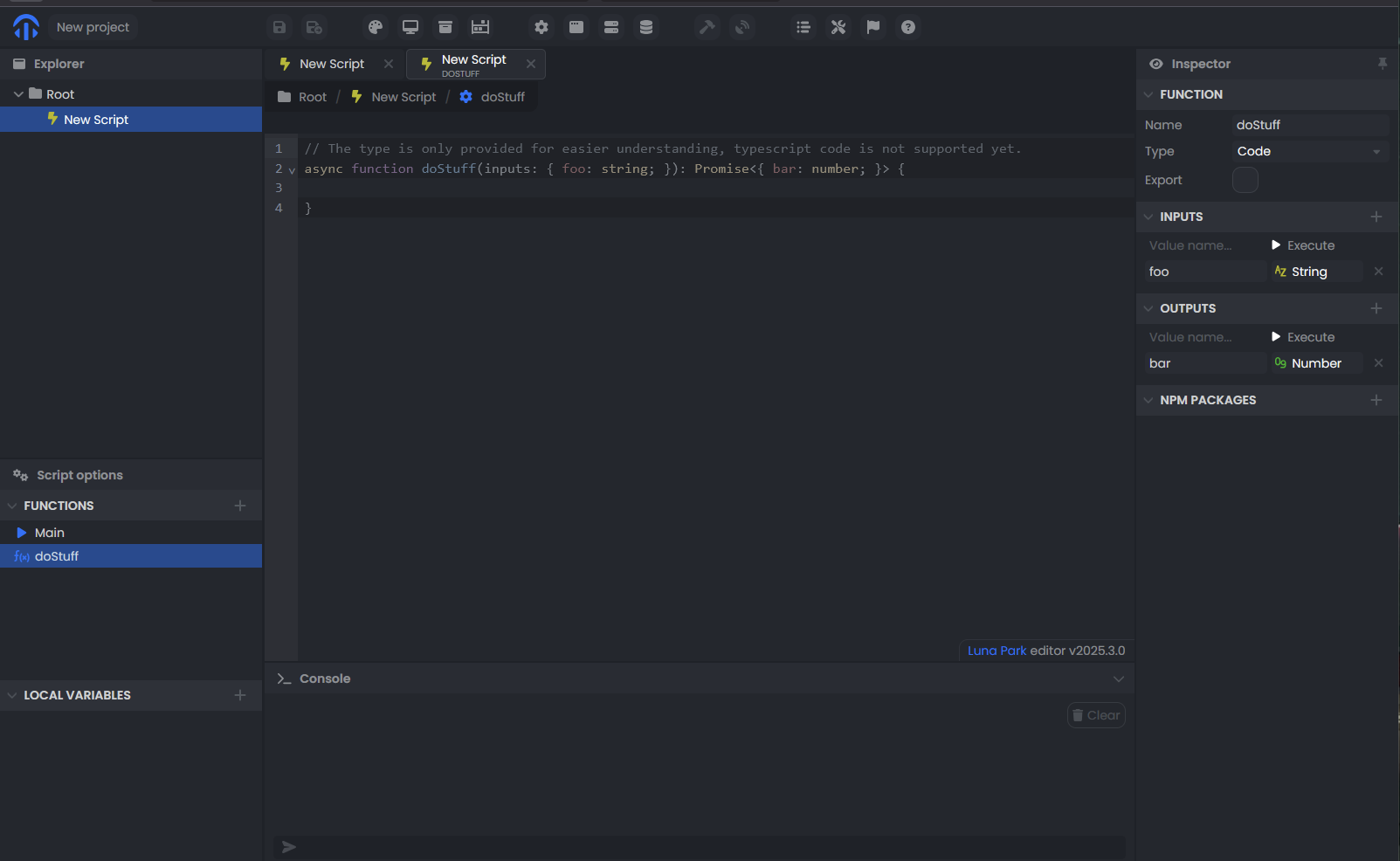
Well for this kind of use case, you could copy/past the prototype of your function in code mode to any LLM to get your custom logic node
Can I specify my Base API and API key in the desktop version settings (for OpenAI, for example) and pay for the tokens used myself?
If it’s just for custom logic node generation, this would be doable as it’s fairly straightforward. I could even add this in the upcoming weeks.
I can’t make any commitment for component generation, though. It’s still in development and may require a fine-tuned model.
Don’t get distracted by my tasks, I’m just glad that the project is not dead and, as it turned out, is actively developing, I want it to become more convenient and accessible to users.
I’m already a dinosaur myself, but I’m slowly getting my youngest daughter used to systematic logical thinking, and from my experience with Function block diagram - Wikipedia LP and analogues are as suitable as possible for this.
I think I’m going to have a new toy for my birthday…
1 Like